
Get a Receipt for Your Lottery Tool: PDF Receipts for Expense Reports
Any time you put a tool on the corporate card, somebody is going to ask for a receipt. "I can't expense this without a receipt." "The receipt needs to list our company name." If a tool can't produce a proper receipt, it doesn't matter how useful it is -- it won't make it onto the official expense.
Amida-san's Organizer Plan (Pro) lets you download PDF receipts from your dashboard, and edit the company name and billing address yourself. This article walks through how to get a receipt and use it for business.

Without a receipt, business use stalls
If you're using a tool personally, this never comes up. The moment your organization is paying, receipts become non-negotiable.
Where expense reports break down
- No receipt means it can't be submitted as an expense
- A receipt without the company name on it isn't accepted
- Monthly payments need a clean record kept somewhere
- Approval workflows want a document that clearly shows the amount
When evaluating a tool for work, "does it produce a real receipt?" is a bigger factor than people assume.
How receipts work in Amida-san
When you subscribe to the Organizer Plan (Pro), you can issue PDF receipts for your payments.
Download PDFs from your dashboard
From the "Billing and receipts" section of your dashboard, you can open the billing portal (Stripe Customer Portal) and download receipts as PDF files. Receipts are generated for both monthly and yearly payments.
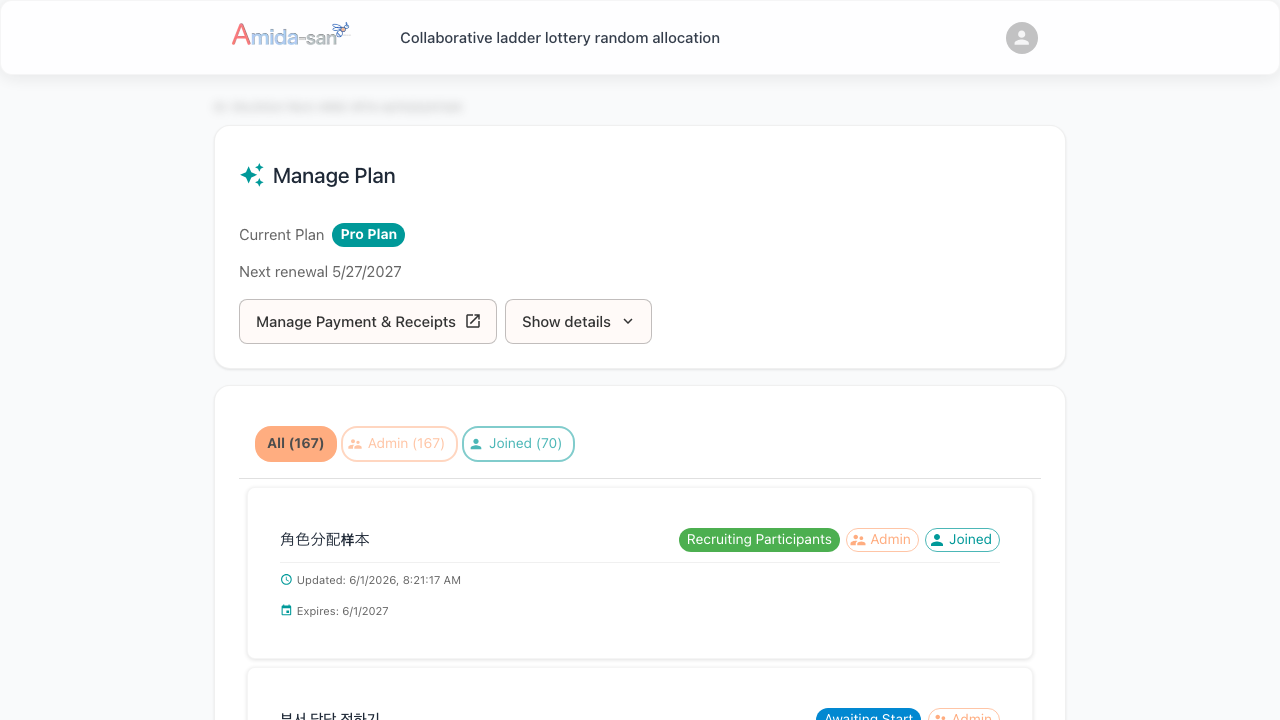
Edit the company name and address yourself
From the same portal, you can edit the company name and billing address that appear on the receipt. Set the billing details your expense process requires, on your own schedule.
How to issue a receipt
- Subscribe to the Organizer Plan (Pro)
- Open your dashboard
- Select "Billing and receipts"
- Open the billing portal (Stripe Customer Portal)
- Download the receipt as a PDF
- Edit the company name and address as needed
Where this helps the most
Corporate adoption
When you use a lottery for HR or organizational operations at work, receipts mean you can expense the subscription without friction.
Department or team subscriptions
For team subscriptions paying for shift assignments and similar use cases, receipts that include the company name keep internal processing simple.
Annual contract reconciliation
The annual plan generates one consolidated receipt for the full year, reducing the load on accounting.
Frequently asked questions
Try Amida-san Free Now
Q1: Where do I get receipts?
After subscribing to the Organizer Plan (Pro), open "Billing and receipts" in your dashboard. From there you reach the billing portal and download receipts as PDF.
Q2: Can I include a company name and address?
Yes. The billing portal lets you edit the company name and address. Configure whatever your expense process needs.
Q3: Can I get receipts for past payments?
Yes. The billing portal shows your full payment history and lets you download a receipt for each.
Q4: Are monthly and yearly receipts different?
Each payment generates its own receipt. The annual plan produces a single receipt that covers the full year.
Q5: How much does it cost?
The Organizer Plan (Pro) is $39 / month or $390 / year (annual saves about 2 months). At under $40 per month, it usually clears low-friction approval thresholds.
Make Amida-san expense-ready with the Organizer Plan (Pro)
PDF receipts and editable company billing details live in Amida-san's Organizer Plan (Pro). For $39 / month (or $390 / year -- about 2 months saved), you get receipt issuance, re-draw, participation restrictions, unlimited result downloads, and the rest of the organizer toolkit. If you're considering Amida-san for corporate use, give it a try.
Want to see everything the Organizer Plan (Pro) offers in one place? Take a look at every Organizer Plan (Pro) feature, explained.
Other Pro Plan features
The Organizer Plan (Pro) bundles a full set of tools for running lotteries inside an organization. The following articles cover each feature in detail.
- Decorate your event page (event decoration)
- How to redraw a lottery (redraw + history)
- Members-only lottery (participation restriction)
- Save lottery results to CSV / Excel (unlimited downloads)
- Amida3D animation effect (unlimited Amida3D)
- Cancel a mistakenly created event (suspend / restore)
- Remove or edit lottery participants
- Prevent accidental edits by participants (account lock)
- Ad-free lottery (no ads for participants)
- 365-day long-term storage (extended availability)
All of these are included in the Organizer Plan (Pro) at $39 / month or $390 / year.
Try Amida-san Now!
Experience fair and transparent drawing with our simple and easy-to-use online ladder lottery tool.
Try it Now