
Cancel a Lottery You Created by Mistake: Suspend and Restore Events
"I just shared the wrong lottery." "I have a test event that's still accepting participants." Most organizers have been there. You want to stop participation immediately -- but deleting the event means there's no way to bring it back if you actually needed it.
Amida-san's Organizer Plan (Pro) gives you event suspension: freeze the event so no one can join or edit it, and restore it later if you change your mind. This article walks through how to safely cancel an event you created by mistake.
When you need to stop an event you created in error
Creating the wrong event, or noticing a setup mistake in the URL you just shared, is normal. Left alone, it leads to people joining the wrong event, or worse, mixing up the wrong event with the right one.
But if your only recovery option is permanent deletion, you're stuck rebuilding from scratch whenever it turns out you actually needed that event. The middle ground -- freeze it now, restore it if needed -- is what makes mistakes feel low-cost.
What event suspension does in Amida-san
The Organizer Plan (Pro) lets you put any event into a temporarily suspended state, and reopen it whenever you want.
A suspended event accepts no operations at all
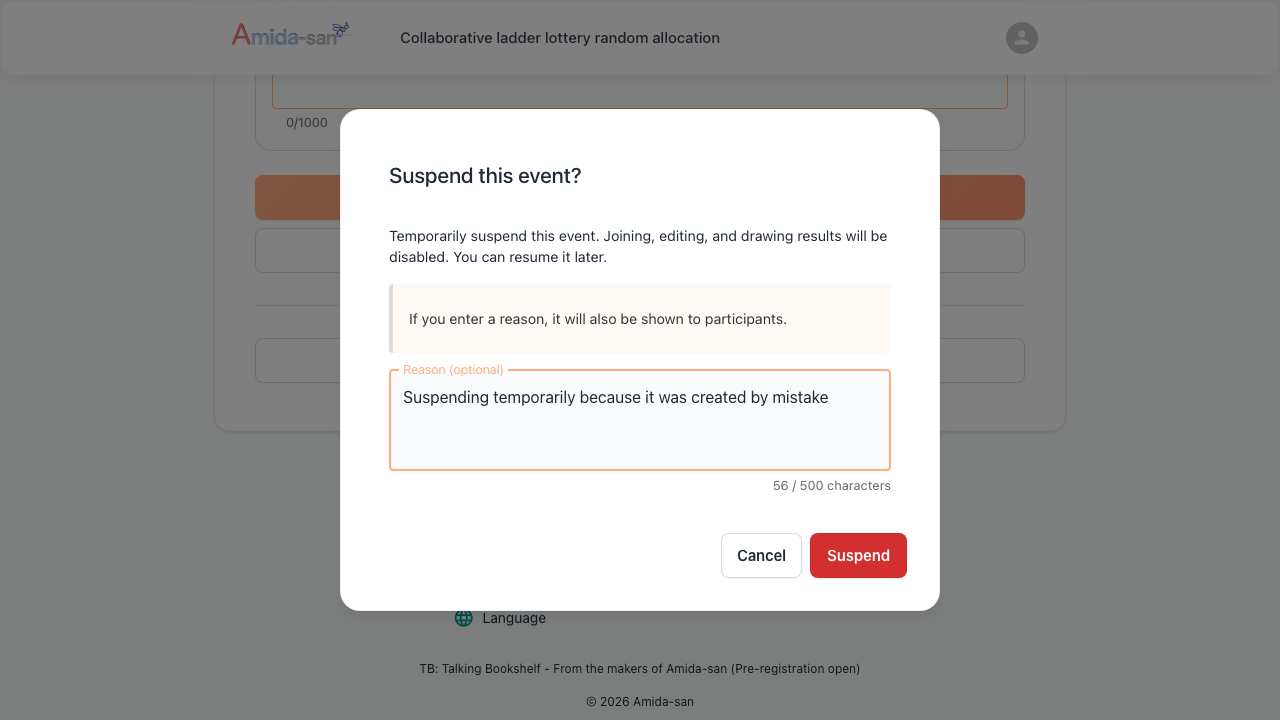
While suspended, the event won't accept participation, edits, or draw finalization. Even the organizer can't open the edit screen, which structurally prevents accidental edits or accidental participation. Even if a stranger lands on the URL you accidentally shared, they cannot join the wrong draw.
Restore it any time
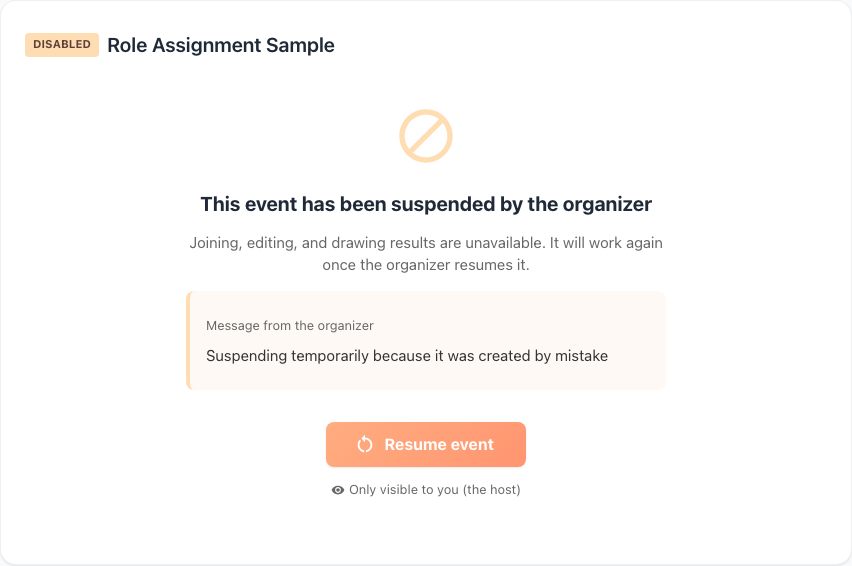
Suspension is a pause, not a delete. The organizer can lift the suspension at any time and the event returns to its previous state. Recovering from a mistake doesn't require rebuilding the event.
How to use it
- Subscribe to the Organizer Plan (Pro) and sign in
- Open the edit screen for the event you want to stop (do this before suspending -- suspended events can't be opened in the editor)
- Select "Suspend event" and confirm
- The event no longer accepts participation, edits, or draw finalization
- To bring it back, open the event and choose "Restore"
Where this helps the most
When you spot a setup mistake
If you've already shared a URL but realize the prize count or participation requirements are wrong, suspend the event immediately to stop further joins. Once you've sorted things out, lift the suspension, fix the settings, and let people in again.
Cleaning up test events
Test events you created while planning an event are best suspended rather than deleted. They stay around, but no one can mistake them for the real thing.
Postponed or canceled events
If an online event lottery gets postponed or canceled, suspend it for now and restore it when the event is rescheduled. No need to re-share a new URL.
Frequently asked questions
Try Amida-san Free Now
Q1: Can I suspend events on the free plan?
No. Event suspension is part of the Organizer Plan (Pro). The free plan doesn't include a suspend / restore mechanism.
Q2: Are the results deleted when I suspend?
No. Suspension only pauses participation, editing, and draw finalization. Your data stays intact and returns to normal once you restore.
Q3: Will participants see that the event is suspended?
Yes. When a participant opens a suspended event, the screen indicates that the event is currently unavailable for participation.
Q4: How is suspension different from re-draw?
Suspension freezes the whole event. Re-draw redoes the draw after the result has been finalized. They serve different purposes.
Q5: How much does it cost?
The Organizer Plan (Pro) is $39 / month or $390 / year (annual saves about 2 months). Event suspension is bundled with re-draws, participation restrictions, and more.
Make mistakes safe to make with the Organizer Plan (Pro)
Event suspension with restore lives in Amida-san's Organizer Plan (Pro). For $39 / month (or $390 / year -- about 2 months saved), you get suspend / restore, re-draw, participation restrictions, unlimited result downloads, and the rest of the organizer toolkit. If you want to run events without fear of irreversible mistakes, give it a try.
Want to see everything the Organizer Plan (Pro) offers in one place? Take a look at every Organizer Plan (Pro) feature, explained.
Other Pro Plan features
The Organizer Plan (Pro) bundles a full set of tools for running lotteries inside an organization. The following articles cover each feature in detail.
- Decorate your event page (event decoration)
- How to redraw a lottery (redraw + history)
- Members-only lottery (participation restriction)
- Save lottery results to CSV / Excel (unlimited downloads)
- Amida3D animation effect (unlimited Amida3D)
- Remove or edit lottery participants
- Prevent accidental edits by participants (account lock)
- Ad-free lottery (no ads for participants)
- 365-day long-term storage (extended availability)
- Issue a receipt (for corporate / expense reports)
All of these are included in the Organizer Plan (Pro) at $39 / month or $390 / year.
Try Amida-san Now!
Experience fair and transparent drawing with our simple and easy-to-use online ladder lottery tool.
Try it Now