
Random Selection Tools for Online Classes and Webinars [For Educators]
Years into the widespread adoption of online classes, many educators still face the same challenge: a handful of students dominate the conversation while the majority remain passive. The nonverbal cues that work in person -- raised hands, eye contact -- simply don't translate through a screen.
This article introduces tools for random calling and fair group formation in online settings, along with strategies to boost student engagement.
3 Challenges in Online Classes and Webinars
The "Same Students Every Time" Problem
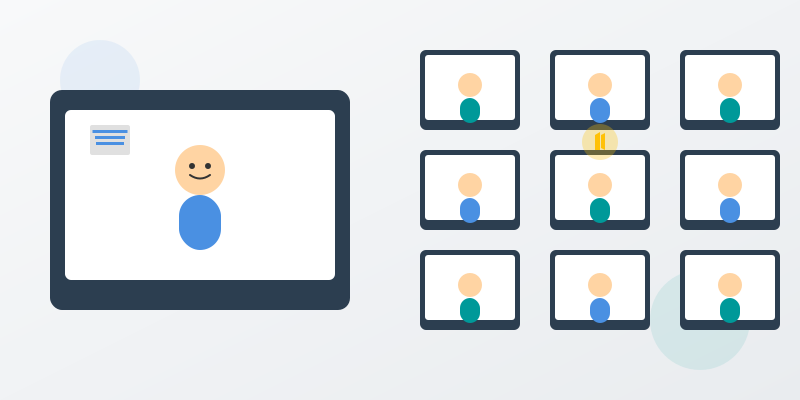
In a physical classroom, instructors can see everyone's faces and naturally call on students who haven't spoken. Online, however, many students keep their cameras off, making it difficult to even know who's present. As a result, a small group of vocal students ends up dominating discussions while the rest become spectators.
When this persists, learning outcomes suffer for the silent majority. Their sense of being part of the class fades, and maintaining motivation becomes increasingly difficult.
Raised Hands Don't Work
The "raise hand" feature in Zoom or Teams is easy for instructors to miss, and students' eagerness to ask questions gets lost. In person, a raised hand or eye contact naturally invites interaction, but online classes require deliberate strategies to maintain two-way communication.
In large lectures especially, it's impractical for instructors to monitor the participants list for raised-hand icons while simultaneously teaching, and as a result, opportunities for questions are lost.
Group Work Stagnation
In a physical classroom, saying "pair up with the person next to you" naturally creates different combinations each time. But setting up breakout rooms is time-consuming, and groups tend to stay the same. This limits the formation of new relationships and reduces exposure to diverse perspectives.
When "friend groups" become fixed, opinions become one-sided, dependence on specific students grows, and the educational value of group work is undermined.
Comparing Random Selection Tools
Selecting from the Zoom/Teams Participant List
The instructor displays the participant list and visually picks someone. No additional tools are needed and it can be done instantly, but the selection isn't truly random since instructor bias plays a role. It can also create a sense of unfairness: "Why me again?" Best suited as a supplementary method for small groups of 10 or fewer. The lack of record-keeping is another drawback.
Excel/Google Sheets Random Functions
Generate random numbers with the =RAND() function next to a student list, then sort to determine order. It's free and easy to set up, but questions about fairness remain: "Couldn't the formula be changed?" Results change on recalculation, and students can't participate in the selection process -- it's entirely one-directional. Suitable for one-time use with groups of 20 or fewer.
Online Roulette Sites
Enter student names into a roulette site and spin. Visually engaging and fun, but transparency is limited since only the instructor operates it. For large groups (50+), entering names and displaying results takes considerable time. Best for small webinars of 30 or fewer where entertainment value is the priority.
Slido/Mentimeter (Polling Tools)
Create polls that students participate in real-time. Interactive and effective for gathering opinions, but these are "voting" tools, not "random selection" tools, making them unsuitable for determining presentation order or assigning roles. Better used for majority decisions and opinion surveys rather than random calling.
Amida-san (Participatory Digital Ghost Leg Lottery)
The instructor creates an event and shares a URL or QR code. All students can add rungs from their smartphones or PCs. Results are determined automatically and can be saved and verified via URL. Because every student participates in the selection process, transparency is high. It supports up to 299 participants and is free to use with no registration required. The only consideration is that you'll need to briefly explain how ghost leg lottery works the first time.
Practical Examples for Online Classes
Lecture Scale
Consider a large introductory business course (approximately 100 enrolled students) with weekly 90-minute sessions conducted via Zoom.
A common challenge is that the same students speak every time while the vast majority participate with cameras off and microphones muted, showing low engagement. Since grades don't depend on speaking up, there's little motivation to actively participate.
Before Implementation
Looking back over about 10 class sessions, only a handful of students have ever spoken, and it's not uncommon for the majority to have never participated verbally. Speaking frequency is heavily skewed toward specific students, with a small number of active students accounting for the bulk of contributions.
Students report that their raised hands go unnoticed, or that they feel "the same people always talk, so I don't need to contribute" -- online-specific barriers to participation.
Implementation Process
During the first two weeks as an adjustment period, proceed as follows:
At the start of class, take about 5 minutes to announce: "Today, I'll randomly call on students for 3 questions," then post the URL in the chat. It takes about 2 minutes for all students to add their rungs. When results appear, call on the selected students to speak, using their responses as springboards for discussion.
At the end of class, tell students: "Save the results URL. Different people will be called on next time."
From week 3 onward, establish a routine of randomly calling on 3 students each week. Over 10 weeks, that's 30 students called on in total. Even accounting for duplicates, a large number of students will have had the experience of speaking. The moderate tension of "I might be called on at any time" encourages preparation.
Expected Outcomes
After implementation, the number of students with speaking experience increases substantially. Because random selection ensures turns come around, even students who have never spoken before get opportunities.
Concentration during class also improves. The state of "not knowing when you'll be called" creates healthy tension, leading to better preparation rates. Students commonly respond with comments like "I started preparing for class," "Speaking for the first time was actually enjoyable," and "Hearing other students' opinions broadened my perspective."
For instructors, the benefit is enhanced interactivity without special preparation. It also tends to improve the quality of end-of-term papers.
Use Cases for Online Classes
Try Amida-san Free Now
Random Calling in Large Lectures
Randomly call on 3-5 students each session, ensuring every student speaks at least once over the semester. The moderate tension of "not knowing when you'll be called" enhances learning outcomes and improves preparation rates and focus.
Seminar Presentation Order
Determine the presentation order for the entire semester at the beginning and share the URL with students. Making the order unchangeable maintains fairness while allowing students to plan their schedules. It also eliminates the frustration of "always going last."
Team Formation for Group Work
Random weekly team assignments allow students to interact with different members each time, building new relationships and learning from diverse perspectives. Keeping records of past combinations helps prevent repetition. For a 100-student lecture, you could create 25 groups of 4.
Webinar Q&A Sessions
When many attendees want to ask questions but time is limited, create a list of interested participants and select by lottery. Those not selected get priority next time, providing fair access. This balances engagement with time management.
Role-Playing in Corporate Training
Randomly assign roles like "customer," "salesperson," and "observer" for role-playing exercises. Changing roles each time ensures everyone learns from multiple perspectives. The advantage is experiencing every role without bias.
Flipped Classroom Presenter Selection
Announce the previous week that "next time, presenters will be randomly selected," and everyone comes prepared. Selecting a few students by lottery on the day is an effective approach that directly improves preparation rates.
Oral Exams in Online Testing
Randomly determine the exam order on the morning of the test day and notify students via URL. Since the order is unknown beforehand, it also serves as a cheating deterrent. The ability to keep the URL as a record of fairness is an added benefit.
5 Criteria for Choosing the Right Tool
When selecting a random calling tool for educational settings, check the following points.
Criterion 1: Student Participation
Tools operated only by the instructor lack transparency and don't boost engagement. A system where all students can participate in the selection process is essential. Participation itself serves as proof of class involvement, providing a secondary benefit of attendance verification.
Criterion 2: Large Group Support
University lectures can have 100-300 students, and webinars may exceed 500. Verify the tool's participant capacity in advance.
Criterion 3: No Registration Required
Collecting student email addresses raises privacy concerns, and the hassle of registration leads to lower participation rates. Tools that allow immediate access via URL or QR code are ideal.
Criterion 4: Results Are Recorded
Records of who spoke and when can serve as evidence for grading. Tools that permanently save results via URL also help address concerns about unfairness. They're also convenient for end-of-semester reviews.
Criterion 5: Free or Low Cost
Given the budget constraints of educational institutions, lower costs make adoption easier. Tools that require students to pay should be avoided.
Implementation Checklist
Before introducing a random calling tool, confirm the following items for a smooth rollout:
- Have you explained the purpose and method to students in advance?
- Did you demonstrate how to use the tool in the first session?
- Have you set a deadline for adding rungs?
- Have you established rules for non-participants (e.g., instructor adds on their behalf)?
- Have you decided how to save results URLs (e.g., posting to the LMS)?
- Have you planned calling schedules for the semester (ensuring everyone gets a turn)?
- Have you set a schedule for the adjustment period (first 2 weeks or so)?
Common Challenges and Solutions
Addressing Student Resistance
In the early stages, resistance like "What if I'm called on when I'm not prepared?" is common. The solution is to announce beforehand: "Random calling starts next session," giving students time to prepare. Creating a reassuring atmosphere -- "It's okay if you don't have the answer, let's think about it together" -- is also important. In most cases, students get used to it within a few weeks and come to view it favorably.
Handling Camera-Off Students
Some students may respond while keeping their camera off. Whether to require cameras is up to your class policy, but one approach is to set a "camera on only when speaking" rule. What matters is the content of what's said, and not fixating on camera usage promotes students' psychological safety.
Connectivity Issues
Some students may have trouble adding rungs due to their internet connection. Establish a rule where the instructor adds on their behalf in such cases. Choosing a tool that works on both smartphones and PCs also helps avoid device-related issues.
Frequently Asked Questions
What if a student doesn't add their rung?
Set a 5-minute deadline at the start of class, and establish a rule in advance that the instructor will add for non-participants. Since participation itself serves as proof of engagement, students typically all participate.
Won't random calling make students unhappy?
Initially, there's resistance -- "What if I'm called on unprepared?" -- but in most cases, students get used to it within a few weeks and end up viewing it positively. Emphasize advance notice and that everyone gets an equal chance. Feedback like "It's fair and I can accept the results" becomes common.
How is this different from Zoom/Teams breakout rooms?
Breakout rooms are specialized for group formation and don't support random calling, presentation order decisions, one-on-one matching, or result archiving. Amida-san handles all of these, making it effective to use each tool for its intended purpose.
Can it integrate with university LMS platforms (Moodle/Canvas)?
Currently, integration is manual. You paste the Amida-san results URL into the LMS. Simply copy the URL and paste it into the bulletin board or announcements section -- it takes minimal effort.
What about anonymous webinar participants?
Numbers or aliases work. Register participants as "Participant 1," "Participant 2," etc., and match them with Zoom/Teams display names to maintain privacy while enabling random selection.
Conclusion
The quality of online classes depends heavily on student engagement. Introducing a random calling tool creates awareness that "I might be called on," improving preparation rates and focus. Fair processes build acceptance, and keeping records maintains evaluation transparency.
Three things you can do right now: try random calling in your next class, tell students that "everyone will have a chance to speak," and save the results URL as a class record. Start with a small step.
Related articles:
Try Amida-san Now!
Experience fair and transparent drawing with our simple and easy-to-use online ladder lottery tool.
Try it Now